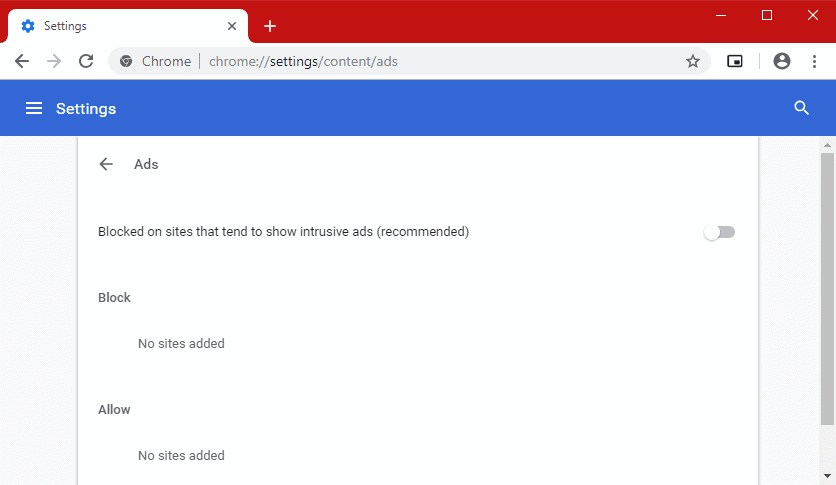
Chrome 71, whose release is scheduled for December 2018, will block even more ads on sites that use various intrusive and deceptive methods to mislead users.
The company has even dedicated a separate page to the concept of “deceptive experiences,” explaining exactly what this phrase means: “deceptive experience means an attempt to mislead visitors of the site.” The following criteria for such behavior are also listed:
- Imitation of interactive elements
Ads or page elements that resemble messaging apps, warnings, system dialog boxes, or other notifications. When you click on them, the ad or landing page opens. - Custom interactive areas
Transparent backgrounds, invisible page elements, and other normally non-interactive areas that, when you click the ad or target page, open the ad or target page. - Unexpected results of interacting with the site
Various page design elements, such as a scroll bar, a play button, a next arrow, a close button, or a link that, once clicked, opens an ad or target page. - Phishing
Ads or page elements designed to look like they will steal the user’s personal data or trick them into disclosing it fraudulently. - Automatic redirects
Ads or page elements that redirect without any action by the user. - Imitation of the mouse pointer
Ads or page elements that display a moving mouse pointer designed to encourage users to interact with those elements. - Malicious or unwanted software
Ads or page elements designed to distribute malicious or unwanted software that can be installed on users’ devices. Distribution refers to advertising and placement of such software, as well as publishing links to it.
Any site meeting these criteria will eventually be blacklisted, and Chrome will stop loading ads. On the Abusive Experience Report page, site administrators can check whether their resource is the source of the search giant’s suspicion. If the site is blacklisted, 30 days will be allowed to fix the inconsistencies, after which the Google browser will begin blocking ads.
These Chrome 71 innovations cannot be described as entirely new, as the company began addressing certain types of intrusive data and user trust abuse earlier this year, with the release of Chrome 64. Google first became aware of these plans last year, but its representatives now write that the initial approach was unjustified and proved too lenient. According to the company, under the initial approach, more than half of sites avoided ad blocking by abusing various dishonest tricks.
You can disable Chrome’s built-in ad blocker, which will soon become much more aggressive, by opening chrome://settings/content/ads and selecting the appropriate setting. However, experts strongly recommend against doing so.