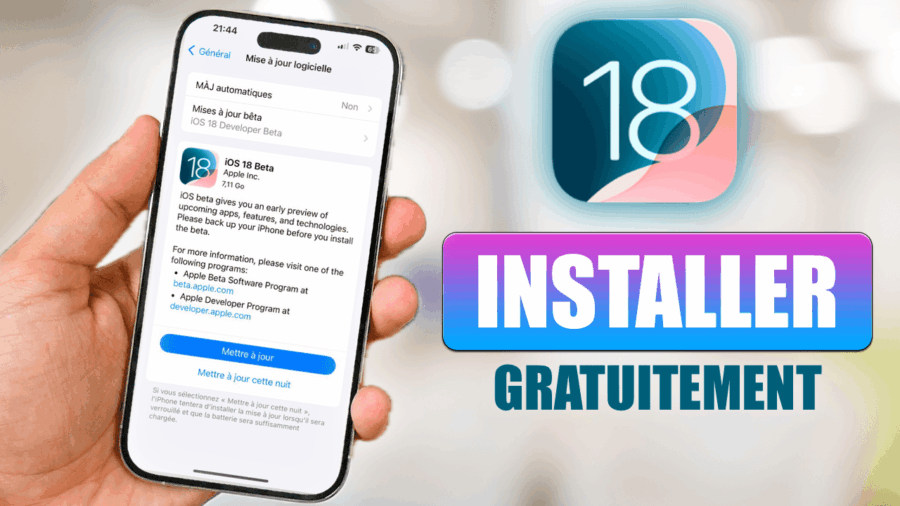
Apple iPhone, iPad, iPod Touch veya Apple TV cihazınıza iOS 13 Developer beta 1 sürümünü indirip yüklemenin yolu budur:
Uyumlu iPhone listesi:
- iPhone XS
- iPhone XS Max
- iPhone XR
- iPhone X
- iPhone 8
- iPhone 8 Plus
- iPhone 7
- iPhone 7 Plus
- iPhone 6s
- iPhone 6s Plus
- iPhone SE
Uyumlu iPad listesi:
- iPad mini 4, iPad Air 2
- iPad (5th generation), iPad (6th generation)
- iPad Pro (9.7‑inch)
- iPad Pro (12.9‑inch)
- iPad Pro (10.5 inch), iPad Pro (12.9-inch)(2nd generation)
- iPad Pro (11 inch), iPad Pro (12.9-inch)(3rd generation)
- iPad mini (5th generation), iPad Air (3rd generation)
Uyumlu iPod Touch listesi:
- iPod touch (6th generation)
Başlamadan önce, iTunes veya iCloud üzerinden Apple cihazınızın bir yedeğini almanızı öneririm.
1. Adım: Xcode’u İndirin
Xcode
2. Adım: iOS 13 beta 1 Sürümünü İndirin
iPhone
[“iPhone SE
iPhone 6s
iPhone 6s Plus
iPhone 8, iPhone 7
iPhone 8 Plus, iPhone 7 Plus
iPhone X
iPhone XS Max, iPhone XS
iPhone XR
iPod touch (7. nesil)
”]
iPad
iPad mini 4, iPad Air 2
iPad (5. nesil), iPad (6. nesil)
iPad Pro (9,7 inç)
iPad Pro (12,9 inç)
iPad Pro (10,5 inç), iPad Pro (12,9 inç)(2. nesil)
iPad Pro (11 inç), iPad Pro (12,9 inç)(3. nesil)
iPad mini (5. nesil), iPad Air (3. nesil)
iPod
Apple TV
OTA Profili (Over The Air)
tvOS : tvOS_13_Beta_Profile.mobileconfig
watchOS : watchOS_6_Beta_Profile.mobileconfig (Apple Watch’a kurulum)
3. Adım: Mac’inize Xcode’u yükleyin
Dosyayı açın ve ardından Mac’inize kurun. iOS 13’ü iTunes üzerinden yüklerken Xcode’u açmanız gerekmez.
4. Adım: iOS 13’ü iTunes üzerinden cihazınıza yükleyin
Mac’inizde iTunes’u açın, cihazınızı senkronize edin, ardından iOS 13 beta 1 dosya(ları) indirildikten sonra size 2 kurulum seçeneği sunuyoruz:
- Güncelleme : Shift (Windows) veya Alt (Mac) tuşu + “Güncelle”
- Geri yükleme : Shift (Windows) veya Alt (Mac) tuşu + “Geri Yükle”
bonjour Arthur
j’ai un problème de téléchargement je telecharge jusqu’à 70 % et toute un coups il ya rien
[…] Télécharger et installer iOS 13 Developer Beta 1 sur iPhone, iPad ou iPod Touch […]
C’est trop nul que l’iphone 6 n’y soit pas sa me fait chier je peut rien faire sans IOS 13
C’est de la merde votre truc je les fais mais sa me dis “10.7 est votre logiciel “