After more than three hours of coding, Safari push notifications are finally available on the site! Great news, as you’ll finally be able to stay up to date with every new article directly from your Mac. To enable Safari push notifications, all you need is OS X Mavericks with the latest version of Safari 7.
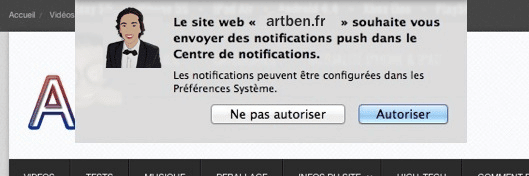
How do you get Safari push notifications? First, you need OS X Mavericks and Safari 7. Then go to ArtBen.fr and allow push notifications in the Notification Center.
If you don’t use Safari, no worries: just subscribe once via Safari and you’ll receive notifications even when the browser is closed.
Hey c’est sympa ! 🙂
Tu possède un compte DEV chez Apple ?