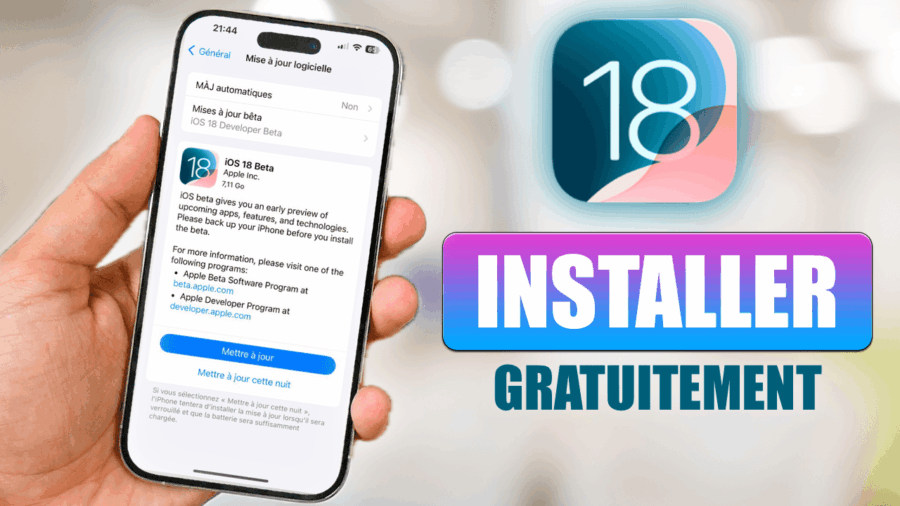
Here is the solution to download and install iOS 13 Developer Beta 1 on your Apple device: iPhone, iPad, iPod Touch or Apple TV
The list of compatible iPhones:
- iPhone XS
- iPhone XS Max
- iPhone XR
- iPhone X
- iPhone 8
- iPhone 8 Plus
- iPhone 7
- iPhone 7 Plus
- iPhone 6s
- iPhone 6s Plus
- iPhone SE
The list of compatible iPads:
- iPad mini 4, iPad Air 2
- iPad (5th generation), iPad (6th generation)
- iPad Pro (9.7‑inch)
- iPad Pro (12.9‑inch)
- iPad Pro (10.5 inch), iPad Pro (12.9-inch)(2nd generation)
- iPad Pro (11 inch), iPad Pro (12.9-inch)(3rd generation)
- iPad mini (5th generation), iPad Air (3rd generation)
The list of compatible iPod Touch models:
- iPod touch (6th generation)
Before you begin, I recommend backing up your Apple device with iTunes or iCloud.
Step 1: Download Xcode
Xcode
Step 2: Download iOS 13 Beta 1
iPhone
iPhone SE
iPhone 6s
iPhone 6s Plus
iPhone 8, iPhone 7
iPhone 8 Plus, iPhone 7 Plus
iPhone X
iPhone XS Max, iPhone XS
iPhone XR
iPod touch (7th generation)
iPad
[“iPad mini 4, iPad Air 2
iPad (5th generation), iPad (6th generation)
iPad Pro (9.7‑inch)
iPad Pro (12.9‑inch)
iPad Pro (10.5 inch), iPad Pro (12.9-inch)(2nd generation)
iPad Pro (11 inch), iPad Pro (12.9-inch)(3rd generation)
iPad mini (5th generation), iPad Air (3rd generation)
”]
iPod
Apple TV
Profile OTA (Over The Air)
tvOS : tvOS_13_Beta_Profile.mobileconfig
watchOS : watchOS_6_Beta_Profile.mobileconfig (Installation on Apple Watch)
3rd Step: Install Xcode on your Mac
Unzip the file, then install it on your Mac. There is no need to open it while installing iOS 13 via iTunes.
4th Step: Install iOS 13 via iTunes on your device
Open iTunes on your Mac, sync your device, then once the iOS 13 beta 1 file(s) have been downloaded, we offer you 2 installation options:
- Update: Shift key (Windows) or Alt key (Mac) + “Update”
- Restore: Shift key (Windows) or Alt key (Mac) + “Restore”
bonjour Arthur
j’ai un problème de téléchargement je telecharge jusqu’à 70 % et toute un coups il ya rien
[…] Télécharger et installer iOS 13 Developer Beta 1 sur iPhone, iPad ou iPod Touch […]
C’est trop nul que l’iphone 6 n’y soit pas sa me fait chier je peut rien faire sans IOS 13
C’est de la merde votre truc je les fais mais sa me dis “10.7 est votre logiciel “