The Pangu team has just released the jailbreak that lets you jailbreak iOS 9.3.3, 9.3.2, 9.3.1, 9.3, 9.2.1 and 9.2! It is possible to perform the jailbreak without your computer! This semi-untethered jailbreak is compatible with devices running a 64-bit processor: iPhone 5s iPhone 6 iPhone 6 Plus iPhone 6s iPhone 6s Plus iPhone SE iPod touch 6G iPad mini 2 iPad mini 3 iPad mini 4 iPad Air iPad Air 2 iPad Pro.
Here is the complete tutorial that walks you through the jailbreak step by step:
Before you begin:
1. If you updated iOS from your device’s settings, this will not work. Restore to 9.3.3 with iTunes in order to perform the jailbreak.
2. Back up your device as a precaution
Step 1: Click the button below and allow the app to be installed

Step 2: A new app called “PP Jailbreak” appears on your device’s home screen.
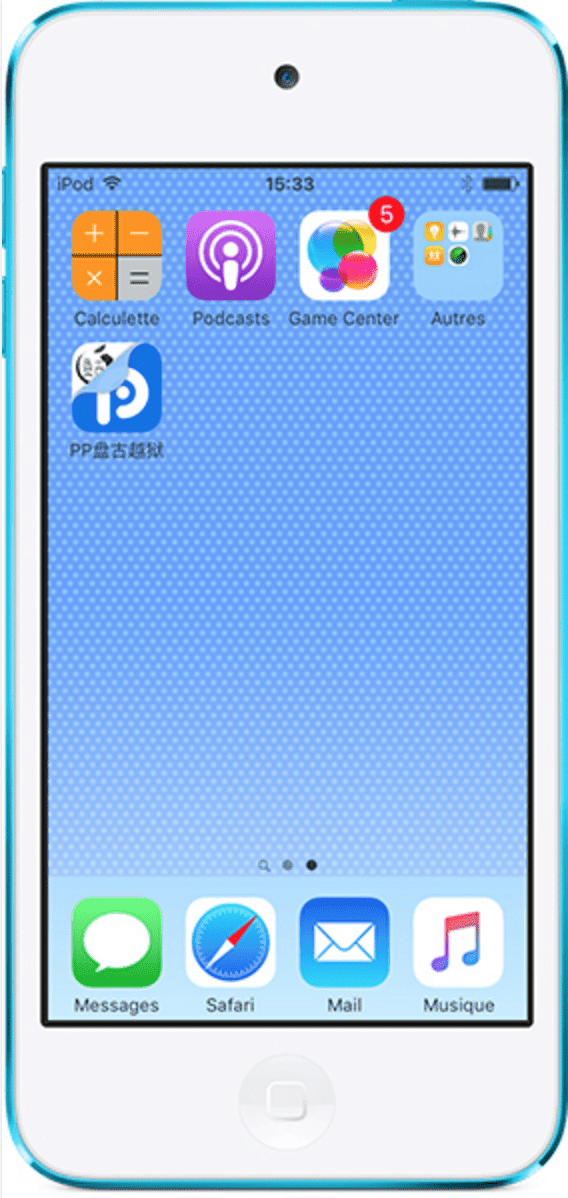
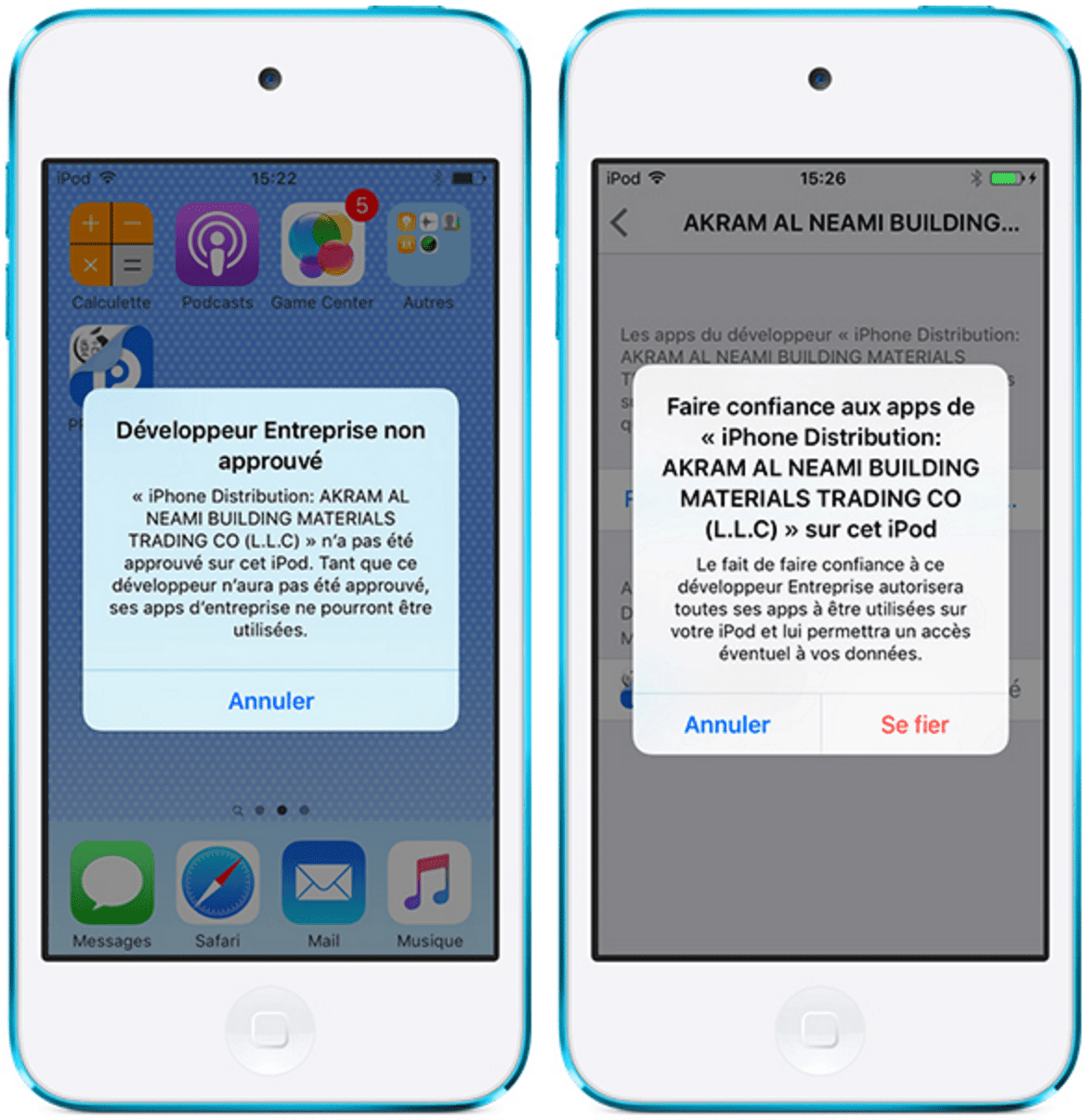
Before you can open and use it, you must trust the certificate by confirming that you trust the developer of the app. To do so, go to Settings > General > Device Management
Step 3: Open the app, allow notifications, and tap the center of the circle to start the jailbreak process.
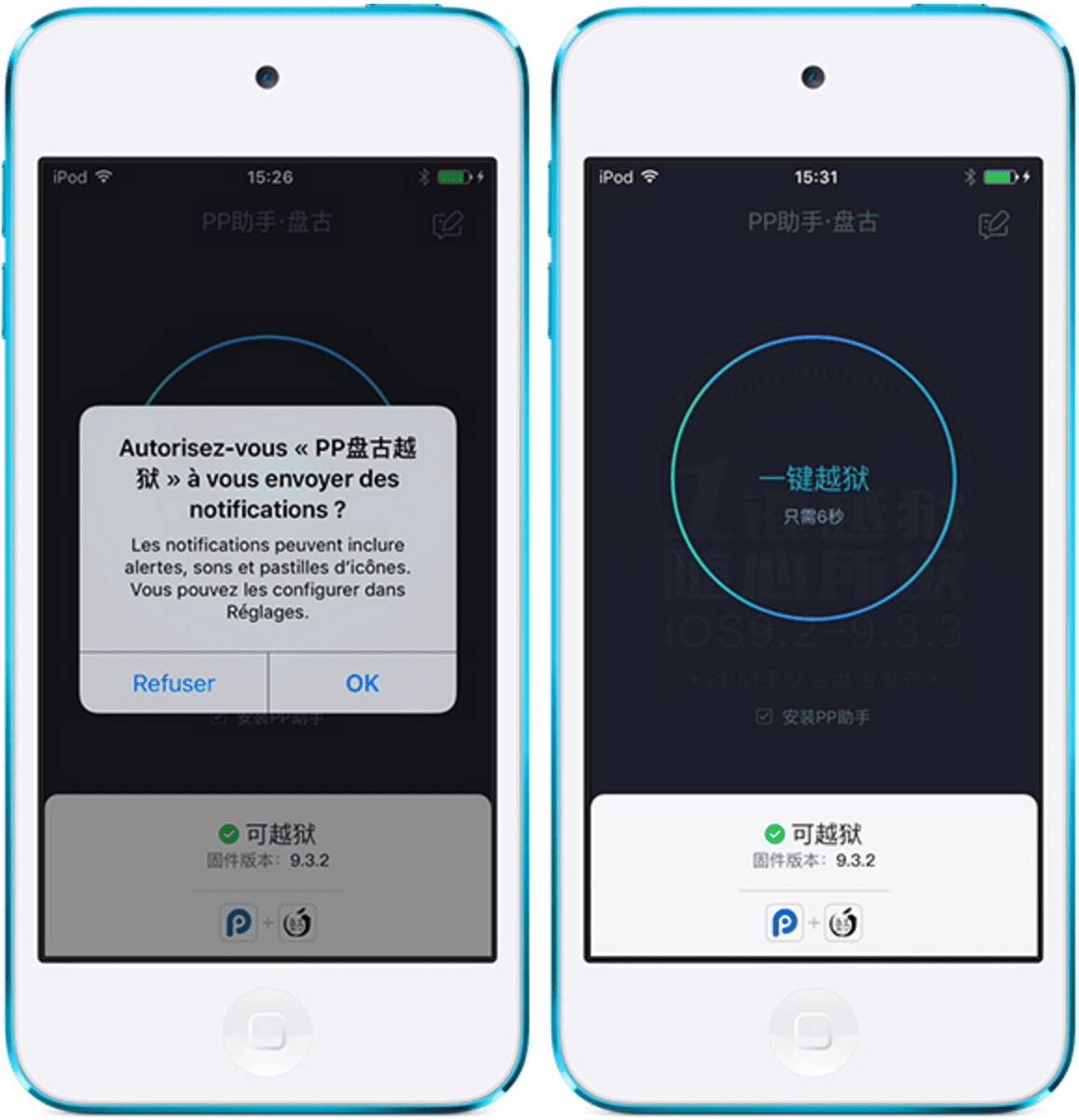
Lock your device and don’t touch anything until it restarts.
Step 4: You will then land on the Springboard, and your iDevice is now jailbroken on 9.3.3. Congratulations!
Important note: This is a semi-untethered jailbreak, which means that each time your device turns off, you must repeat the procedure starting from step 3 to keep the jailbreak working. Share the post “Tutoriel de Jailbreak iOS 9.3.2 avec Pangu sans ordinateur.

Si jamais comment tu fais pour supprimer le jailbreak et cydia ?
C’est un semi-jailbreak ! Du coup, dès que ton téléphone s’éteint, le jailbreak s’en va. Et tu dois refaire le semi-jailbreak ! 🙂
Bonjour, je rencontre un problème : “PP Jailbreak n’a pas pu être installé pour l’instant”
Bonjour, pour moi ca ne marche pas, le telechargement de l’application ce lance mais n’abouti pas, j’aimerai savoir si il y avait une autre facon de le telecharger, aidez moi svp
Bonjour,
Je voudrais savoir si le jailbreak fonctionne
Sans vouloir être méchant ça marche pas ton truc 🙁
Pourtant bien en 9.3.3
bjr, Merci pour ce tuto , sauf que tjrs le même problème, avant que l’app ce téléchargé complètement, un pop pop “impossible de télécharger l’application ” Merci d’ajouter une étape expliqué à fin de résoudre ce cas !
appareil testeés sans succès ; iPhone 6 ios9.2.1
5S 9.2.1 d’ailleurs meme cas avec d’autres tutoriel avec autres Liens !
Slt artben jai un problème l’application ppjailbreack ne veut pas se télécharger peut tu m’aider
Pour télécharger cette application avant qu’il se finisse de télécharger vraiment vers la fin vous devez vous mettre en mode avion c’est normal qu’il ce télécharge pas sinon essayer cette méthode et c’est magique salut